Noon · Design ☉ Build ☉ Systems
The work outlasts whoever ordered it.
- Since
- 2020
- Form
- Texas PBC, bonded
- Shop
- San Antonio
- From
- $10k
How it is built · Sheet A
Read the ground. Draw it. Pour it once.
One studio. Survey, drawing, carpentry, concrete, stone, water and planting, in the same hands, on the same ground.
Noon Systems Corporation is a Texas public benefit corporation with one purpose: to make ecology and artistry more accessible, by developing systems and pioneering design and form. The work is applications of that purpose, physical and digital, that enhance people’s lives. Noon provides education as well as work: an expert-driven model of paid internships and training on real work, so the people who build with Noon become skilled, excellent and modern in their trade.
The research is published under Noon’s name: the Sensorial Choice Score (2026), a way of reading one property for how it acts on the people who live in it. ORCID 0009-0001-9247-6668.
Noon is the hour the sun stands straight overhead and nothing hides in its own shadow. The mark is the old sign for the sun. The work is held to that light.
The eight trades · one shop
 ReadThe ground, in layers
Scanned by LiDAR and read in layers: height, contours, where the water runs, slope. Nothing is drawn until the ground is known.
 DrawCAD, to the inch
The plan you approve is the thing you walk on. Every curve is worked out by eye, then held by number.
 FormBirch, bent to the line
Laminated ribs bent to the drawing, one jig per curve, each used once. The forms are the real sculpture.
Nine yards by chute into the forms, screeded and finished before the sun moves.
Blocks scored and split on site, dressed and laid dry or on a bed. The rill at Towne Twin is laid this way, block by block.
The pattern itself, holding in the slab: stamp mats laid on the wet concrete and struck by hand until it reads as stone.
Cast basins, jets and a limestone rill, the water carried from one to the next.
Roots teased open and set straight into the rock, in the rain. No synthetics on any ground we keep.
- No synthetics on the ground — mosquito and fire-ant control included.
- No decomposed granite in a channel. It migrates in rain, stains the walk and tracks indoors.
- No plastic or aluminum edging.
- No cut or fill inside an oak’s drip line.
- Since
- 2020
- Form
- Texas public benefit corporation, bonded
- Shop
- San Antonio; working across the Hill Country and Austin
- Built
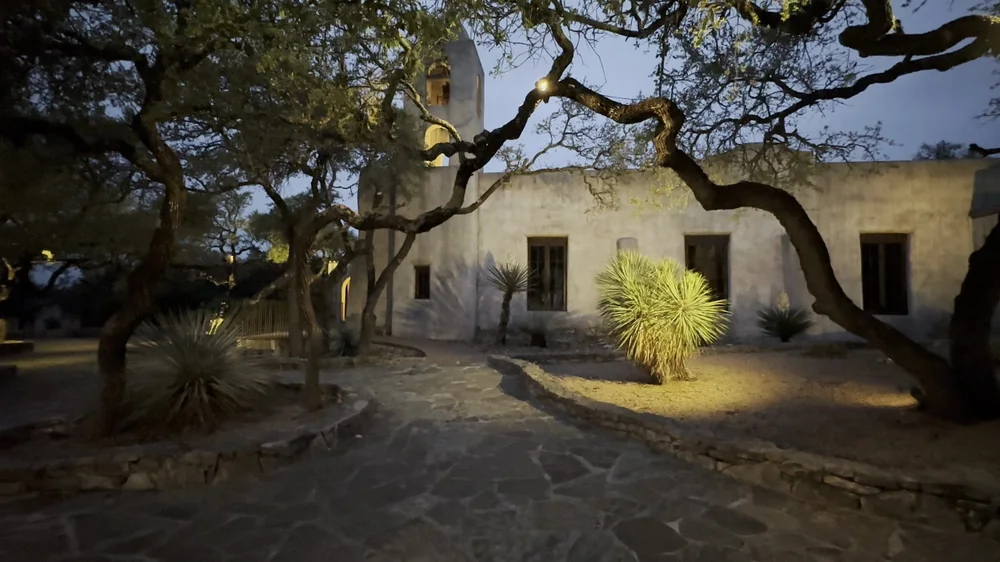
- A 28 ft cast lotus · a mission courtyard · a 13 ft bioswale at ~200 gal/hr · three fountains on a limestone rill
- From
- Commissions from $10k
- Language
- English · Español
Reads withL-1 The Lotus · B What we build · C Begin
- Prepared by
- NOONDesign ☉ Build ☉ Systems
- Issue
- 09.2026
- Studio
- San AntonioAustin · By commission anywhere
- Sheet
- A